Home Wi-Fi is essential for connecting devices like laptops, smartphones, and smart TVs in a household. A typical home network includes multiple devices such as computers, phones, tablets, smart speakers, and connected appliances. These devices exchange data with the internet regularly.
Some network traffic is expected, like accessing a bank website or downloading updates. Other activities might be unwanted or suspicious. This is where firewalls play a crucial role.
A firewall acts as a security system, monitoring network connections and deciding which traffic is permissible. Think of it as a digital doorkeeper, filtering out unexpected traffic that could harm your devices.
Types of Firewalls
There are two main types of firewalls: router firewalls and software firewalls. Both serve essential, yet different functions in protecting a home network.
Router Firewalls
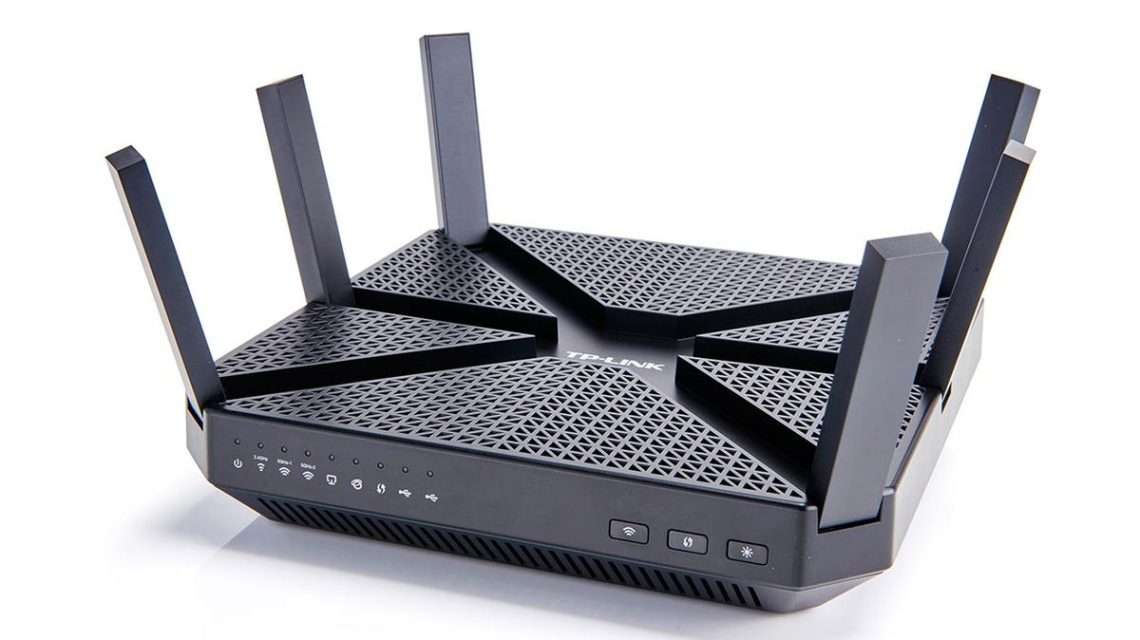
Your router connects your home to the internet and distributes Wi-Fi. Many routers come with a built-in firewall. Placed at the point where your home network meets the internet, it provides a basic protective layer against unwanted external connections.
The effectiveness of a router firewall depends on the model, software, and configuration. It helps shield the entire network, reducing the exposure of connected devices to potential threats.
Software Firewalls
Installed on individual devices like Windows PCs or Macs, software firewalls offer an additional protective layer. They are particularly useful when a device connects to different networks, helping to monitor and control application-specific activities.
The two types of firewalls can operate together. The router firewall secures the network’s entrance, while software firewalls monitor actions on individual devices.
Understanding Network Traffic
The terms ‘inbound’ and ‘outbound’ traffic should not intimidate. Inbound traffic refers to data coming towards your device, like a website delivering content after a page request. Outbound traffic is data your device sends out, such as emails or photos uploaded to a website.
A firewall can distinguish between familiar and unfamiliar connections. It might alert you or block suspicious connections, ensuring ordinary online activities are safe.
Importance of Network Awareness
Online banking and shopping involve sensitive data that needs protection. Often, the same device used for leisure also handles financial transactions, underlining the need for heightened network security.
Remote work adds another layer of complexity. Devices used for work might handle sensitive files and communications, necessitating reliable security tools to understand and secure online activity.
What Firewalls Can and Cannot Do
Firewalls manage network connections, reducing exposure to unsolicited inbound traffic and spotting unusual application activity. They enhance protection when a device connects to unfamiliar networks.
But firewalls cannot secure weak passwords or identify trickery from convincing messages. They do not replace antivirus solutions, software updates, multifactor authentication, secure router settings, or reliable backups. Firewalls can aid in security, but additional precautions are necessary for comprehensive protection.
Enhancing Home Wi-Fi Security
A few essential router and Wi-Fi settings can reinforce your network security:
- Secure Router Settings: Use manufacturer-recommended security settings and change the default administrator password.
- Update Router Firmware: Regular updates can improve performance and fix vulnerabilities.
- Strong Wi-Fi Passwords: Use unique passwords, and consider a guest network for visitors.
- Monitor Connected Devices: Regularly review devices connected to your Wi-Fi and change the password if mysterious devices appear.
- Replace Outdated Routers: If a router no longer supports security updates, consider replacing it with a newer model.
Comprehensive Security Setup
A firewall is one part of a broader security strategy that includes keeping software updated, securing important accounts with multifactor authentication, and watching for suspicious online activities.
Data Protection and Ransomware Resistance
Your devices store valuable data, like family photos and documents, which are essential to protect. Understand ransomware risks and use the 3-2-1 backup strategy:
- Keep three data copies on different storage types with one copy stored separately.
- Ensure backups are automatic, current, and can be easily restored.
If ransomware hits, disconnect devices safely and seek professional help without rushing to pay a ransom. Strong habits and reliable backups enhance recovery chances.
Regularly review your internet setup and strengthen your home Wi-Fi to minimize risks. A robust security strategy that includes firewalls, antivirus software, and system backups offers comprehensive defense against digital threats.
 Data Centers Stir Controversy in Texas Amid Growth Boom
  The Technology Rivalry: Trump’s Meeting with Xi and the AI Ecosystem Clash
  Ways to Protect Your Finances from Cyber Threats
  Interview with Nvidia CEO Jensen Huang: AI Outlook and Business Strategy
  Concerns Rise Over Addictive Design of Sports Betting Apps
  Seton Hall National Security Graduate Fellowship Provides Hands-On Experience